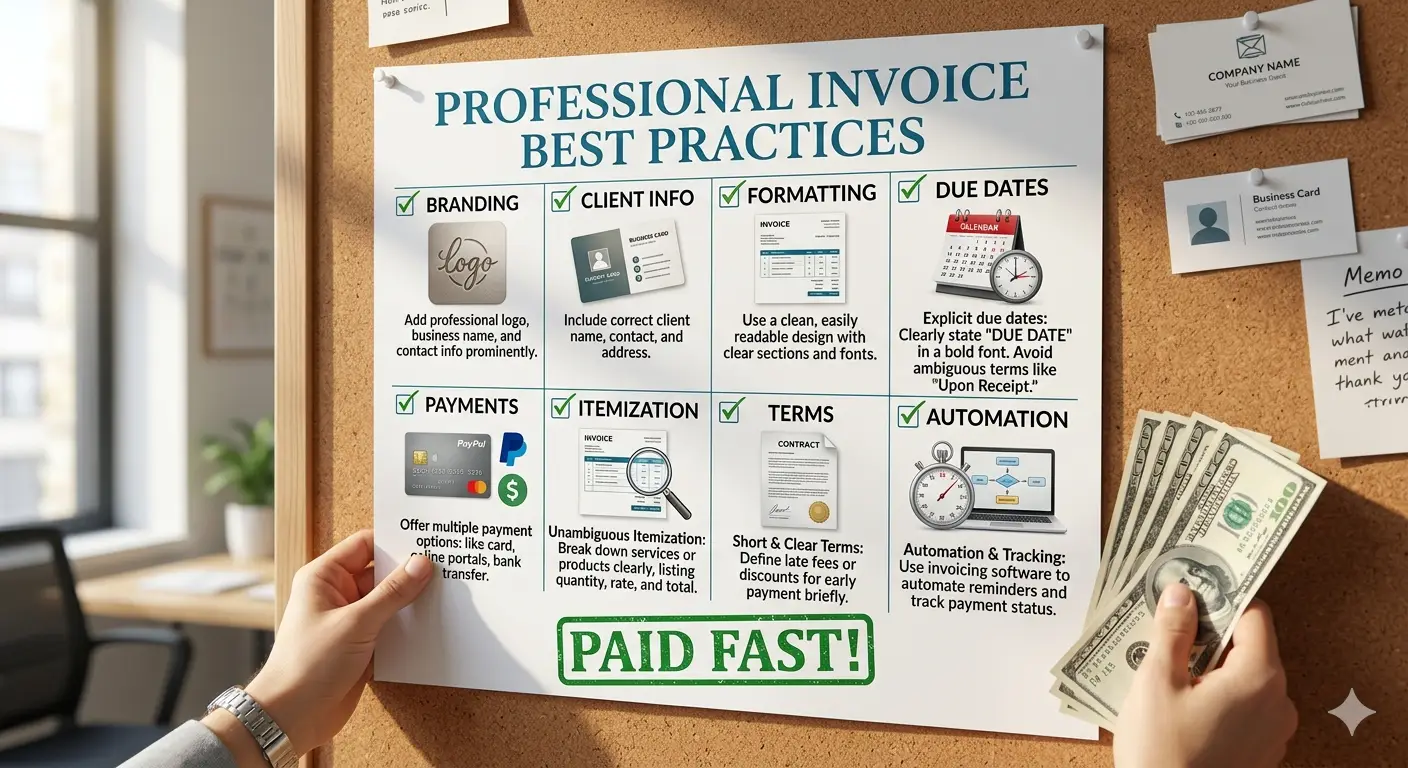
A professional invoice is not just a payment request. It is a trust document, a cash-flow tool, and a simple way to show clients that your business is organized.
| Reader goal | What to focus on | Practical next step |
|---|---|---|
| Get paid faster | Clear due dates, payment methods, and invoice numbers | Send the invoice immediately after approval or delivery |
| Avoid disputes | Specific line items and agreed scope | Match every charge to the proposal or contract |
| Improve cash flow | Reminder schedule and consistent records | Track sent, viewed, overdue, and paid invoices weekly |
What a professional invoice should communicate
A good invoice should answer three questions instantly: who is requesting payment, what the client is paying for, and how the client can pay. If any of those answers are unclear, the invoice may sit in an inbox while the client asks for clarification. That delay may feel small, but repeated delays can create real cash-flow pressure.
Professional invoices also reduce emotional friction. Clients are more comfortable paying when the document looks consistent, accurate, and connected to the work they approved. A messy invoice can make even good work feel less reliable. A clean invoice quietly reinforces trust.
At minimum, include your business name, contact details, invoice number, invoice date, payment due date, client information, itemized work, subtotal, tax if applicable, total due, and payment instructions. If the client needs a purchase order number or internal project code, request it before you send the invoice.
Build a simple invoice numbering system
Invoice numbers should be unique and easy to search. A format such as BFH-2026-001 is simple, but any consistent system can work. Avoid random numbers, duplicated numbers, or changing the format every month. Accounting becomes easier when invoice numbers follow a pattern.
Good numbering helps when a client asks about a payment, when your accountant reviews income, or when you need to match bank deposits to invoices. It also makes your business look more mature. Clients may not notice perfect numbering, but they notice confusion when it is missing.
Write line items clients understand
Many payment delays come from vague line items. A line that says “services” forces the client to remember what was delivered. A better line says “May website maintenance: plugin updates, backup review, speed check, and support requests.” Specific descriptions reduce questions and help internal approvers move faster.
If you charge by the hour, show the number of hours, rate, and work category. If you charge a fixed fee, show the milestone or deliverable. If expenses are included, separate them from service fees. The goal is not to overwhelm the client; it is to make the invoice easy to approve.
Set payment terms before the invoice
The best invoice process begins before the invoice exists. Your proposal or contract should explain when payment is due, which payment methods are accepted, whether deposits are required, and what happens if scope changes. The invoice then confirms an existing agreement instead of introducing new expectations.
Common payment terms include due on receipt, Net 7, Net 15, and Net 30. Shorter terms may work for small projects or new clients. Longer terms may be normal for larger companies. The right choice depends on your cash-flow needs, client type, and bargaining position.
For general small-business payment guidance, the U.S. Small Business Administration explains practical ways to manage billing and getting paid. Requirements vary by country and industry, so confirm local tax and invoice rules when needed.
Make payment easy
An invoice should not make the client hunt for payment details. Include bank transfer instructions, card payment links, online payment options, or any approved method your business accepts. If fees apply, explain them clearly. If you accept international payments, include the details required for the transfer.
Payment ease matters because many clients pay invoices in short administrative windows. If your invoice requires extra emails, the payment can miss that window and wait another week. Clarity is not decoration. It is a practical cash-flow advantage.
Use reminders without sounding aggressive
A professional reminder schedule protects the relationship. Send a short confirmation when the invoice is issued, a polite reminder before the due date, and a calm follow-up if it becomes overdue. The tone should assume good faith while making the next step obvious.
For example: “Just a quick reminder that invoice BFH-2026-014 is due on Friday. Please let me know if your accounts team needs any additional details.” This is firm enough to be useful and polite enough to preserve trust.
Track invoice performance
Measure how long invoices take to get paid, which clients pay late, which payment methods move fastest, and which invoice details trigger questions. These patterns help you improve the process. If one client repeatedly pays late, you may require deposits or shorter milestones. If many clients ask the same question, add that information to the invoice.
Invoices are part of the customer experience. A clear billing process makes the business feel easier to work with. That can improve repeat business, reduce admin time, and make revenue more predictable.
Final checklist
- Use a unique invoice number and visible due date.
- Describe each line item in plain language.
- Separate subtotal, tax, discounts, and total due.
- Include payment instructions and a contact email.
- Send reminders on a consistent schedule.
A professional invoice does not need to be complicated. It needs to be accurate, easy to understand, and easy to pay. When billing feels simple, clients move faster and your business operates with less financial stress.
Recommended next step
Review your last five invoices and look for missing due dates, vague descriptions, or unclear payment instructions. Fixing those small details can improve payment speed quickly.
Continue with more BusinessFocusHub guides or use the free ROI calculator when you need to connect a decision to numbers.

Written and reviewed by
Rachel Torres
Rachel Torres is the BusinessFocusHub editorial author for practical guides on business finance, marketing, productivity, operations, and online tools. Her articles focus on clear steps, realistic trade-offs, and reader-first advice for entrepreneurs and small business owners.